Press kit
Printroom by Lucid Labs. Everything here is free to use in coverage of Printroom.
In one line
Printroom is a Mac app for Pro Tools mix engineers: drop in a folder of stems and it builds the session from your own template.
In a paragraph
Printroom is a Mac app for Pro Tools mix engineers and producers. It turns a folder of client stems into a session from your own template, with every track named, coloured and grouped your way. It tidies an open session’s names and colours, and puts them back in one click. When the mix is done, it prints every stem and the mix while you’re away, each file checked. Your stems are never moved, renamed or uploaded: everything happens on your Mac.
Facts
- Made by
- Lucid Labs, a one-person company. Built by a student mix engineer.
- Price
- $19.99 a month, $179 a year, or $399 once (lifetime).
- Trial
- Monthly and yearly start with 14 days free, with every feature. Lifetime has no trial.
- Licence
- No iLok. Sign in to the app with the email you paid with.
- Requires
- Pro Tools 2023.12 or later, macOS 14 or later, Apple silicon or Intel. Some features need newer Pro Tools (see the questions).
- Sold by
- Creem, as merchant of record.
- Website
- lucidlabsaudio.com
Screenshots
Click to open the full image. Larger sizes on request.
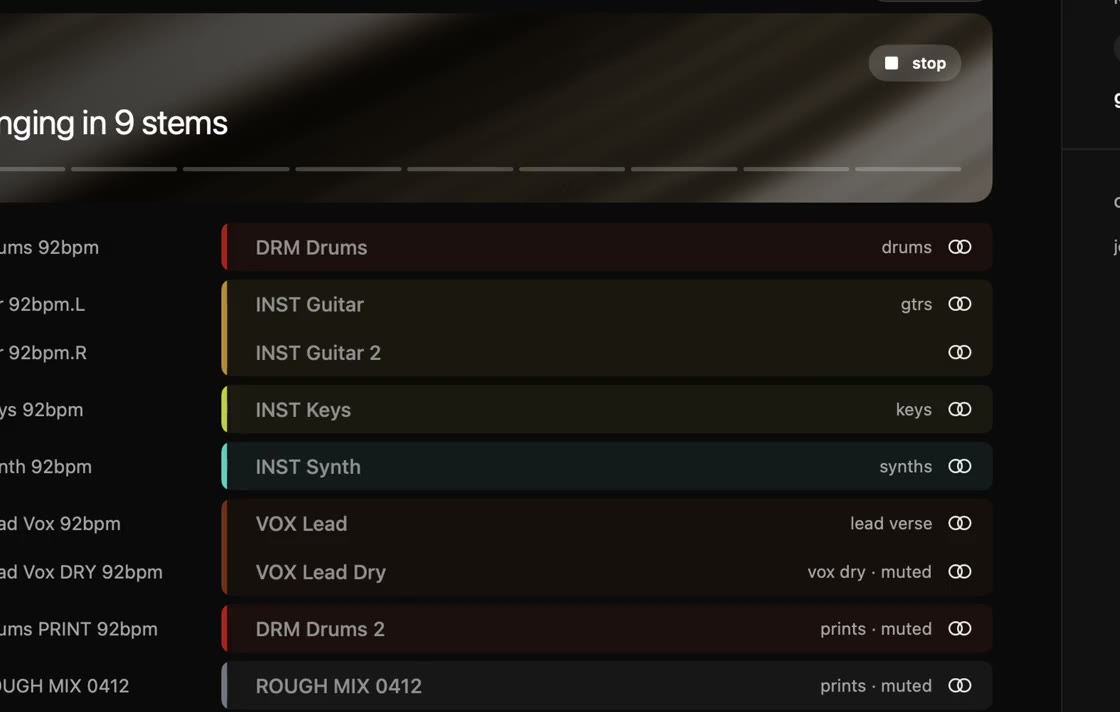 Printroom bringing in 9 stems: each named, coloured and grouped to the template
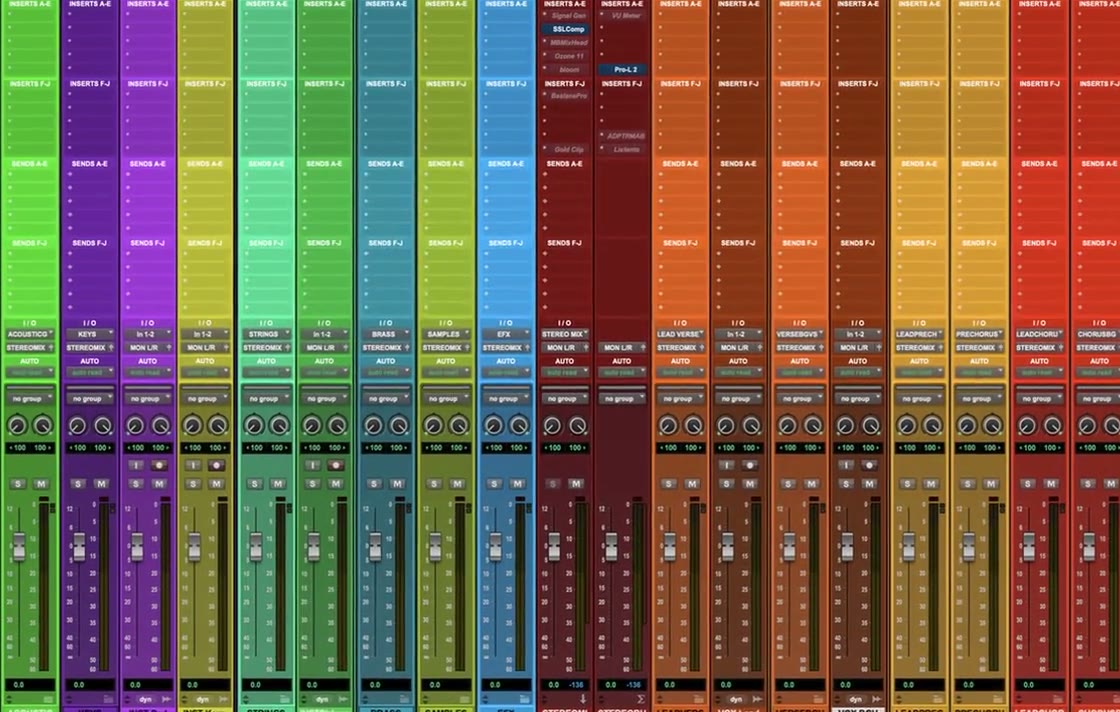 The Pro Tools session Printroom built: tracks named, coloured and routed
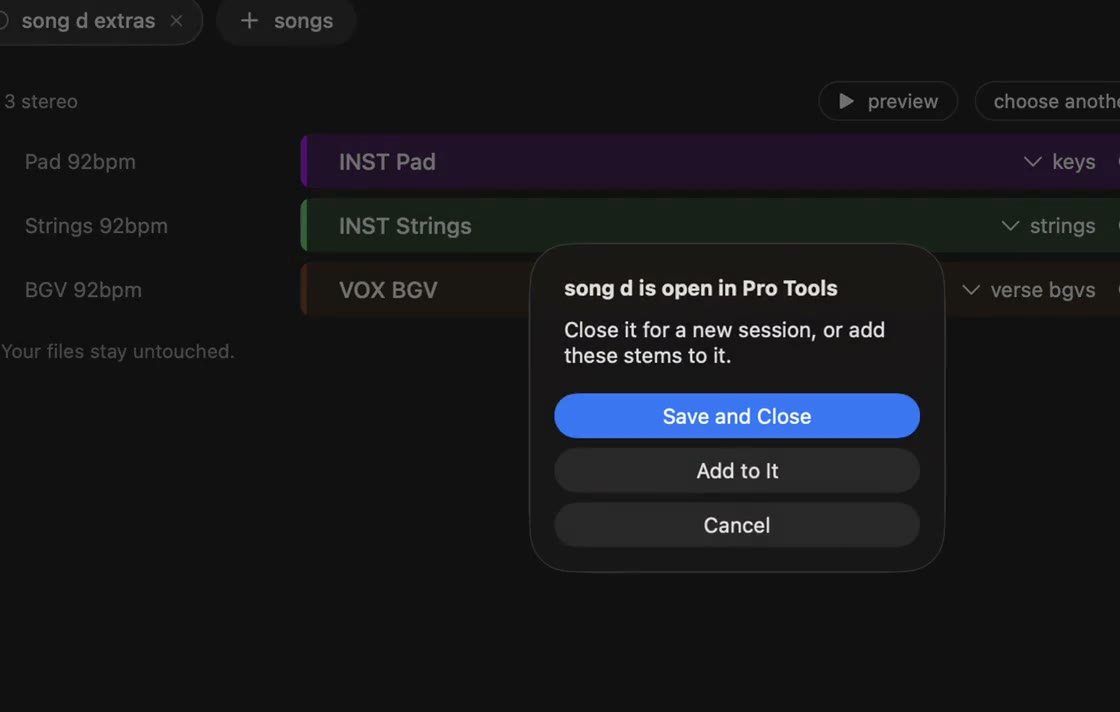 Adding a folder of client stems to Printroom
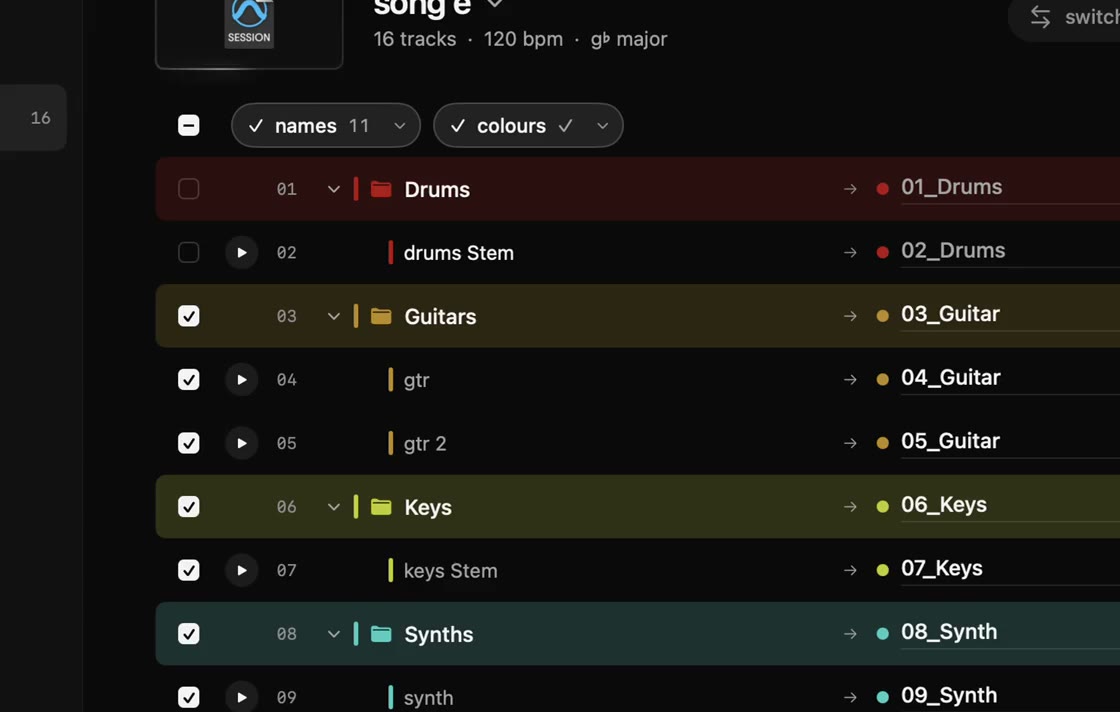 Tidying an open session’s names and colours
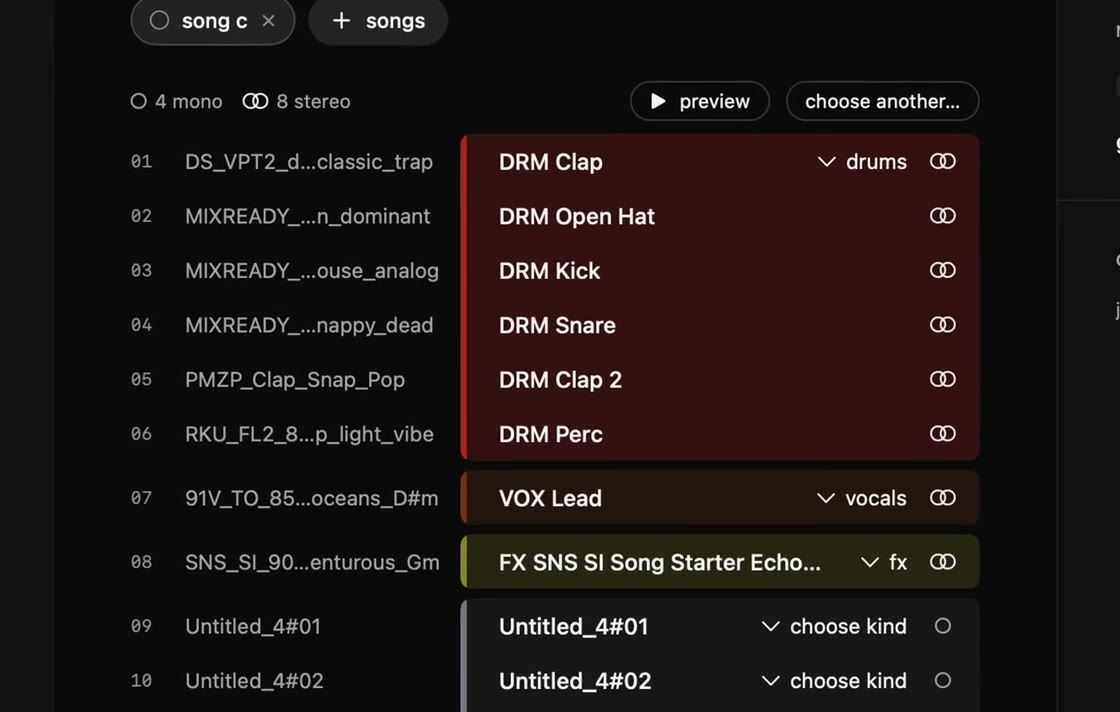 Printroom reading track names from the stem file names
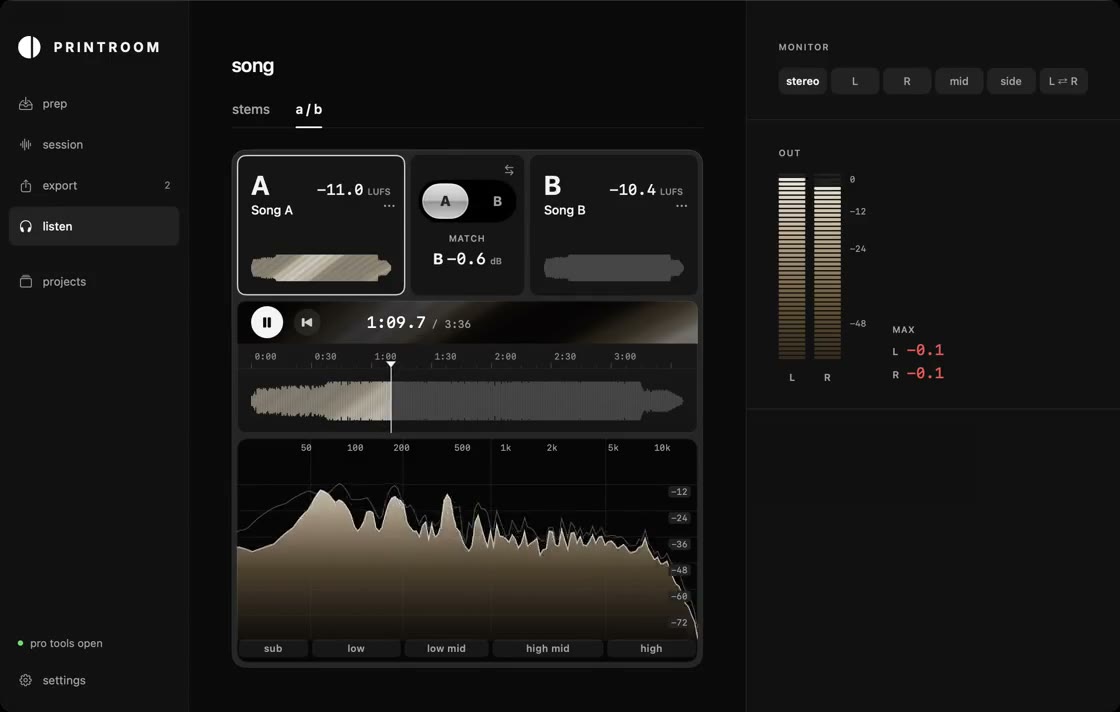 Comparing a mix with a reference
Video clips
Short silent screen recordings of the real app: template · run · add · tidy · name · ab.
Logo


Contact
Questions, interviews and review licences: support@lucidlabsaudio.com.
A review licence never depends on what you write. If you post about Printroom after getting one free, please say so.